More Google andTripadvisor reviews.
Make it easy for customers to share honest feedback.
Use QR codes, NFC tags or links to invite reviews and private feedback. Choose the review platforms that fit your business.
Free to use · For customer-facing businesses
Hotels, restaurants, shops, salons and service businesses.
Watch 30 secondsNo Review Systems login for customers · NFC is optional
of customers leave a review when asked, against roughly 10% who do so unprompted
BrightLocal Local Consumer Review Survey, summarised by Growave, 2024price a hotel can charge at the same occupancy for a one-point rise in its review score (5-point scale)
Cornell Center for Hospitality Research, via Hospitality Net, 2012scan rate for a QR code with its purpose written next to it, against one without
EasyMenus QR adoption data, 2025From the spot to the review, credited.

Check-in took two minutes and the welcome was warm.Credited to: Front desk
From the printed spot to the review in your account. Sample data
Start with your business. Invite your customers.
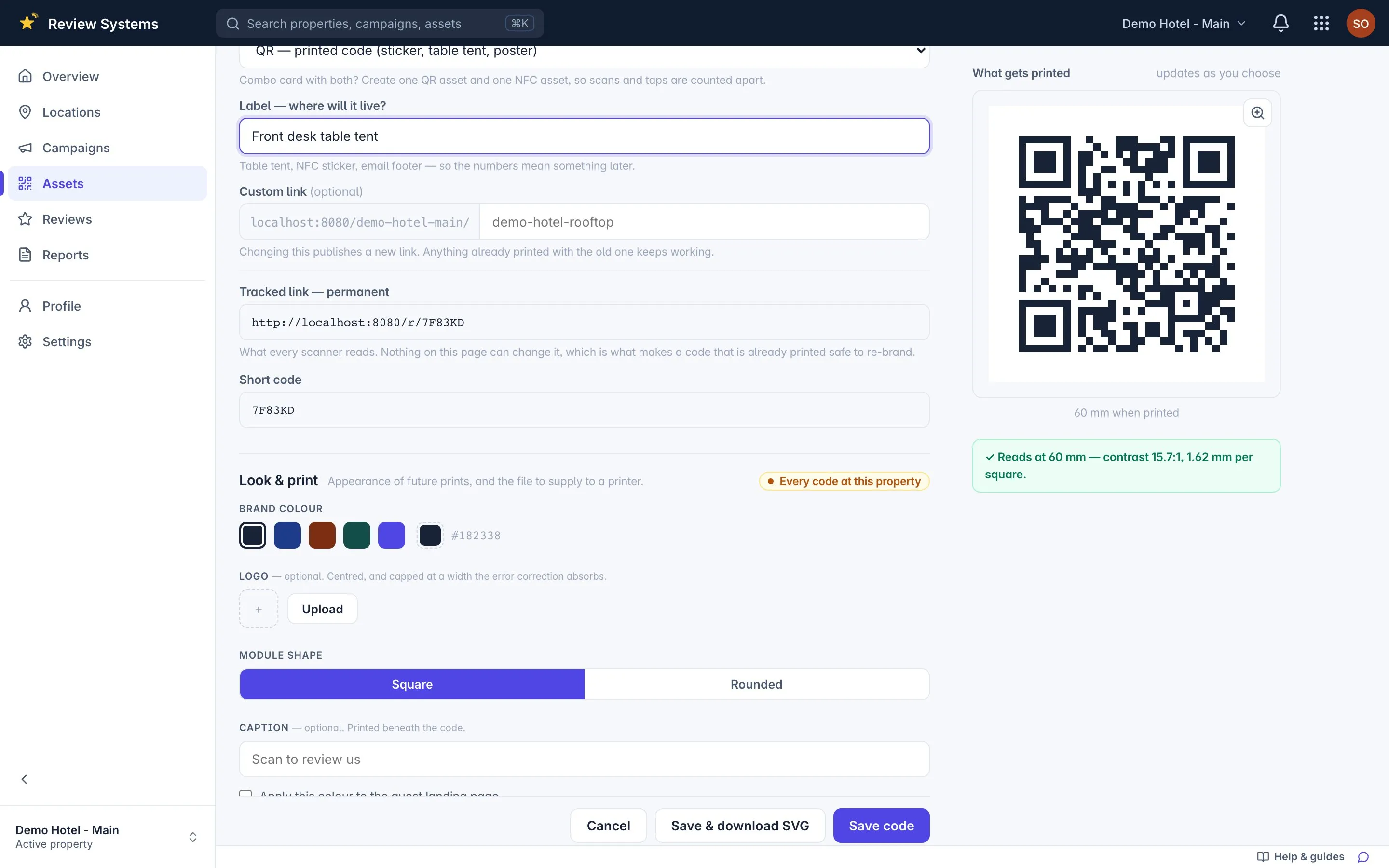
Sign up and print your first code
Create your free account, add your business location and its Google listing, then print a QR code for a counter, table or reception desk. NFC tags are optional.
Customers scan or tap once
Customers need no Review Systems account. They choose Google, Tripadvisor or a private note to you, then share in their own words.
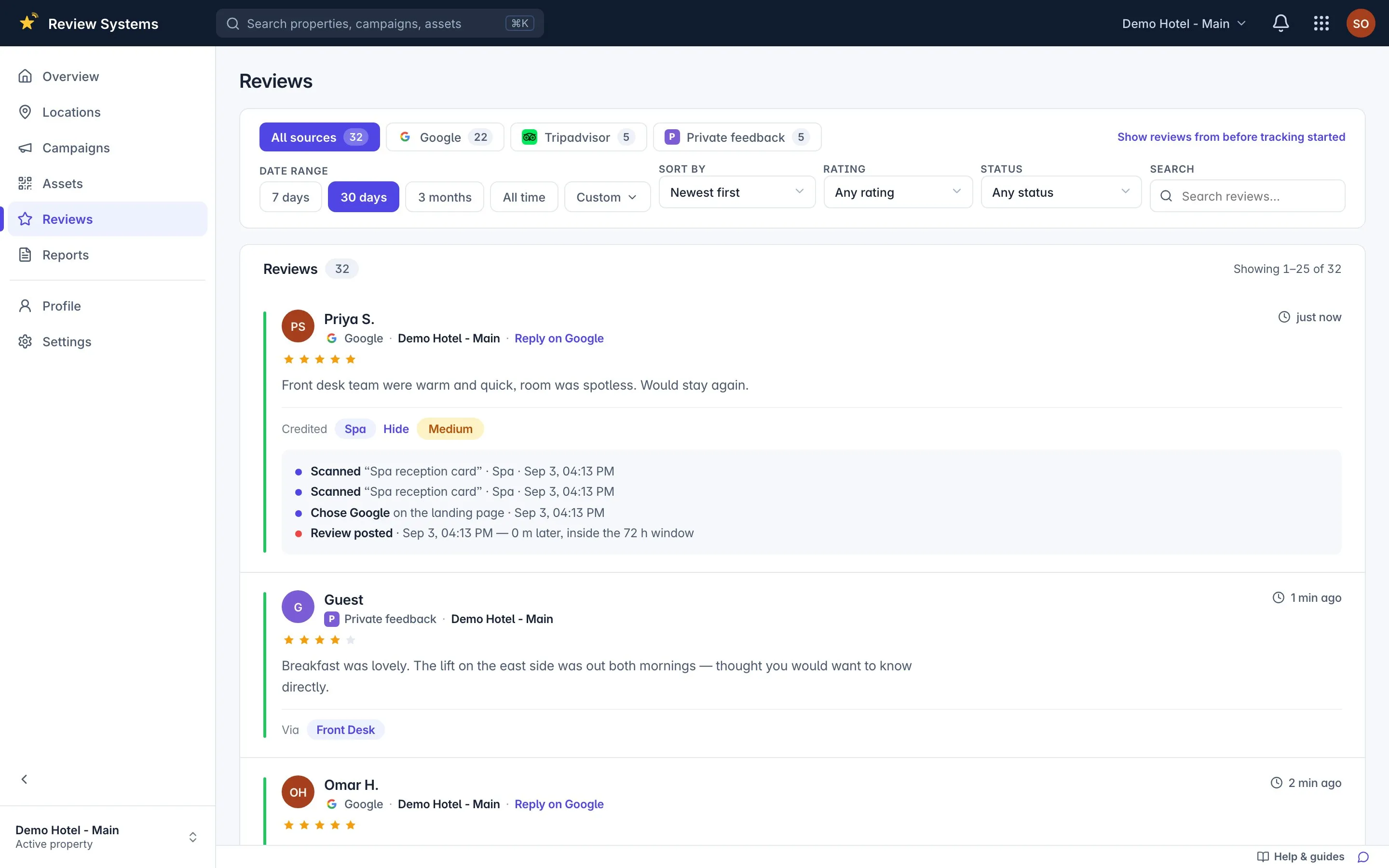
See which spots lead to feedback
Check scans and taps by spot. When a later review can be matched to an earlier visit, the report shows the spot and the confidence of that match.
What is Review Systems?
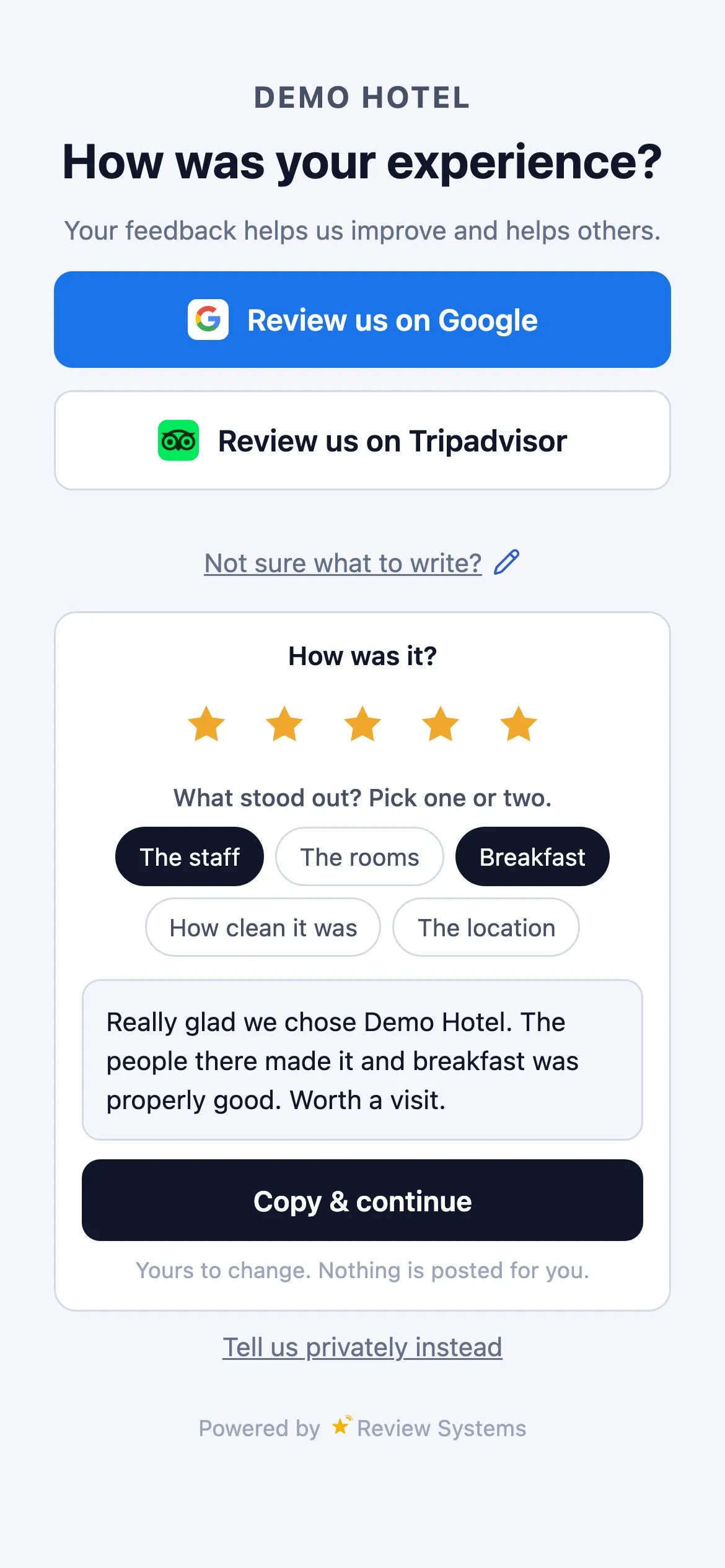
Review Systems is a review collection platform by Multisystems for customer-facing businesses. A QR code, NFC tag or branded link printed at a specific spot — the front desk, the bar, a room, a table — opens one guest page offering a Google review, a Tripadvisor review, or a private message to the manager, with every button visible at every rating. An optional helper lets a guest who wants to write something rate the visit, pick what stood out and edit a short draft assembled from their own taps; nothing is posted for them. Reviews that later appear on Google or Tripadvisor are matched to the scan and tap that preceded them inside the spot's attribution window, with the confidence stated, so the owner sees which spot earned each review rather than a single count. One login holds many properties; access is granted per property. Guests never log in, and no cookie or tracking pixel is set on the guest page.
See which spot works. Move the ones that don't.
- Spots, not people. The bar against the rooms, never one waiter against another.
- Idle codes speak up. No scan for seven days? It is probably in the wrong place.
- Honest zeros. A review nobody scanned for is reported as unattributed.
Sample data · last 30 days
| Spot | Reviews | Conversion |
|---|---|---|
| Bar | 27 | 31.7% |
| Front desk | 18 | 18.8% |
| Restaurant | 11 | 15.5% |
| Rooms | 6 | 4.3% |
| Valet | 0 | idle 7 days |
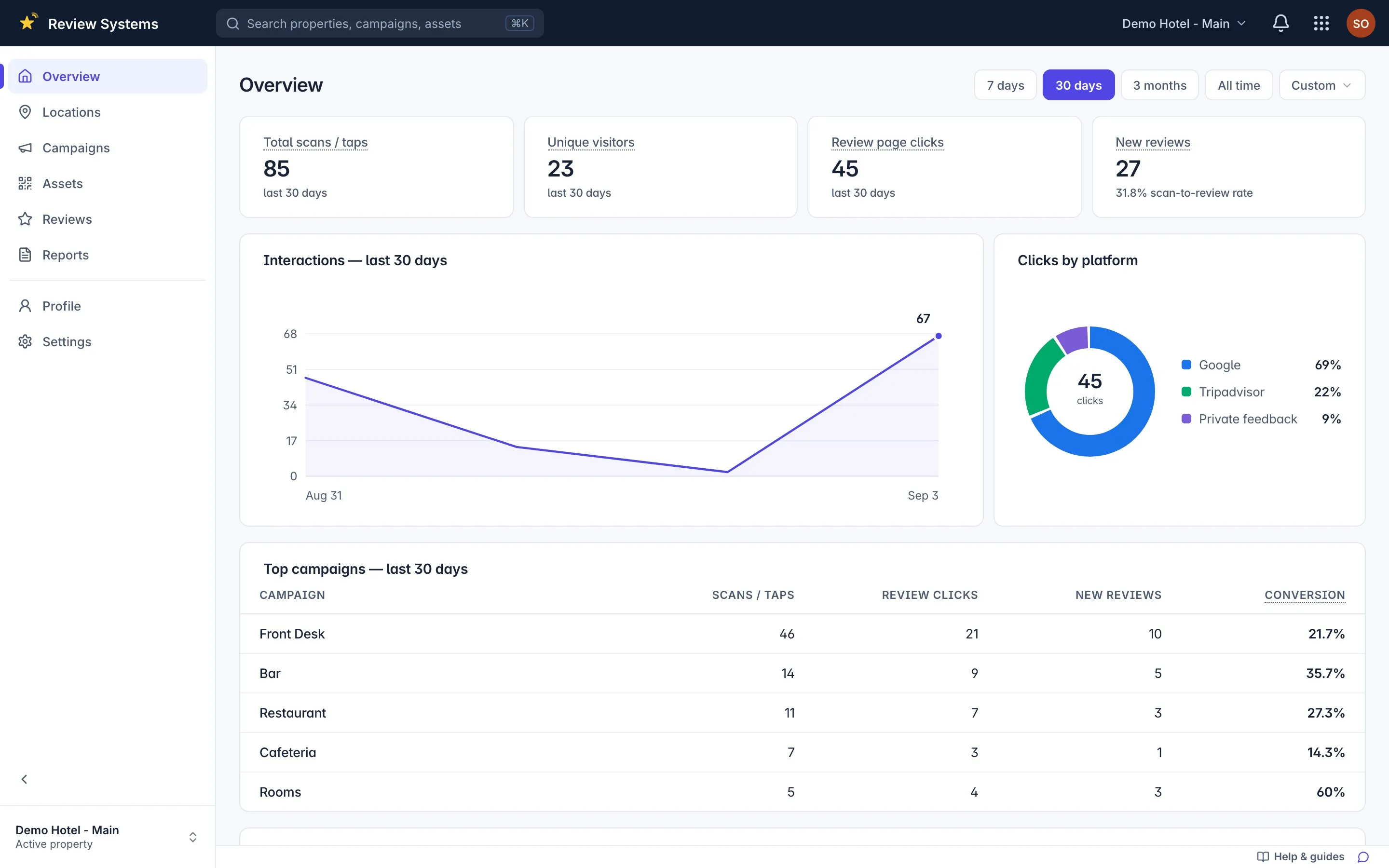
What you see, every morning.
- 1Scans, taps, reviews
For one property, or all of them.
- 2Top spots
The bar against the rooms. Print more of what works.
- 3Alerts that matter
A low review, a private note, a code nobody scans.
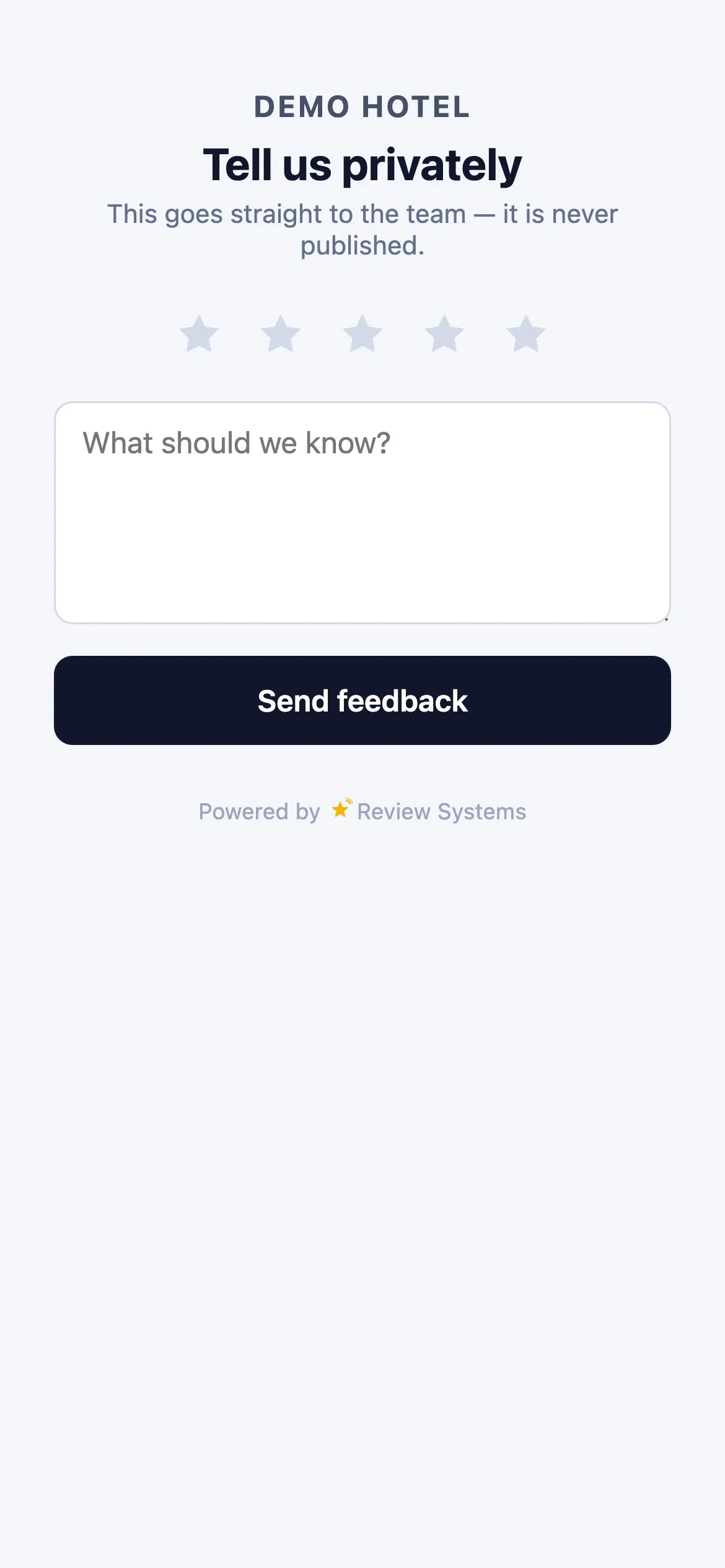
Every guest, every button, every rating.
- Private feedback is an extra door, not a detour. Google and Tripadvisor stay on the page.
- Reaches you fast. A private note raises an urgent alert and can be emailed.
- Nothing posted for the guest. No pre-screen, no rewards, no staff targets.
Google Business Profile help: "You can ask customers to visit a Google link or scan a QR code" — and never offer incentives or selectively solicit positive reviews.Read the policy
One login for the group. Access per property.
- Roles hang off the property. Invite the bar manager to the bar alone.
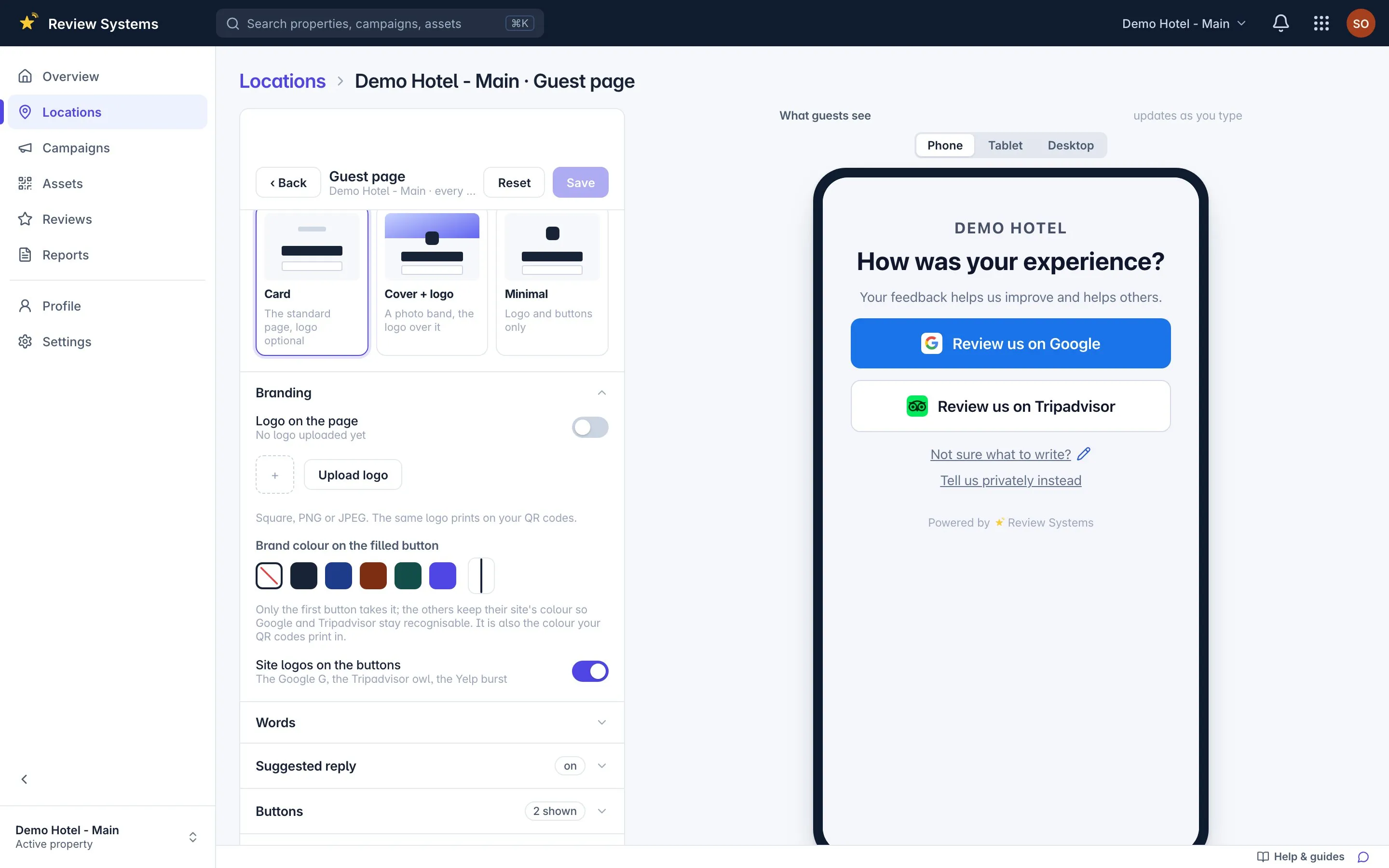
- Your colour, your logo. Three guest-page layouts, contrast checked.
- Prints that scan. Sticker, table tent, poster — SVG, PNG or print-ready PDF.
A small moment.
A simple invitation.
See how a review card becomes a natural part of your guest’s visit.
Make feedback part of checkout.
From a conversation at the front desk to the guest’s feedback page.
Unable to load this video. Open it directly.
Unable to load this video. Open it directly.
A closer look at guest feedback.
Questions buyers ask first.
What is Review Systems?
Review Systems is a review collection platform by Multisystems for customer-facing businesses. A QR code, NFC tag or branded link printed at a specific spot opens one guest page offering a Google review, a Tripadvisor review, a Yelp review, or a private message to the manager. Every scan, tap and later review is attributed to the spot that earned it, so you can compare the front desk against the bar against the rooms.
How can you know which spot earned a review?
A guest scans the code at a spot, taps a review button, and writes the review on Google's or Tripadvisor's own site. When that review appears, Review Systems looks for a scan or click at the same property inside the spot's attribution window (72 hours by default) and credits it: one matching click is High confidence, several is Medium, a scan with no click is Low, and nothing is Unattributed. Every hop is logged; only the last one is a judgement call, and the confidence is shown.
Is this review gating? Does the page hide the public buttons from unhappy guests?
No. Every guest sees every public review button at every rating, and the private feedback link is visible at every rating too. The helper offers a guest who rated under four stars a faster route to the manager instead of a draft, but the Google and Tripadvisor buttons stay on the page and stay tappable. Google's and Tripadvisor's policies prohibit selectively soliciting positive reviews; the page is built not to.
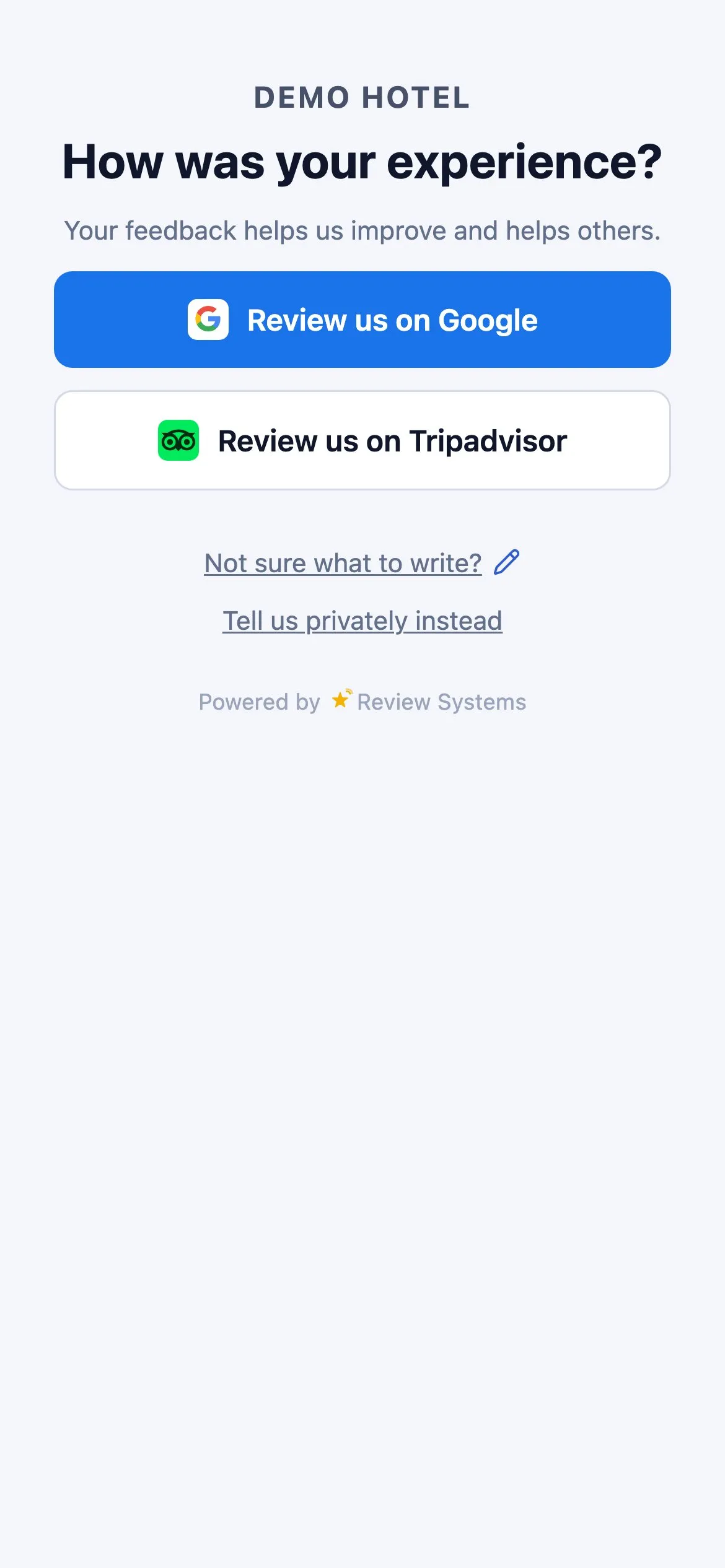
What does the guest see when they scan?
One page with your name and logo, the question "How was your experience?", one filled button for your primary review site and secondary buttons for the others, and a quiet "Tell us privately instead" link. No app, no account, no download. You can scan the live demo page on this site with your own phone.
Do I have to buy special hardware?
No. Print-ready files for a 25 mm sticker, a 60 mm table tent and a 150 mm poster come as SVG, 300-dpi PNG or PDF, and any printer can produce them. NFC tags and stands are optional. The product refuses to export a QR code that would print too small to scan, because that failure only shows up as scans that never arrive.
Can a manager see only their own property?
Yes. Access is granted property by property, not per account. A Manager sees reviews, scans and printed codes for the properties they were invited to; an Admin can also invite and remove people; an Owner has full control. One login can hold several properties, and the bar manager can be invited to the bar alone.
Start collecting customer feedback.
Free to use. Create your account, add your business and print your first QR code.

 ChatGPT
 Perplexity
 Claude
 Gemini · Google AI Mode
 Reddit
 X
X